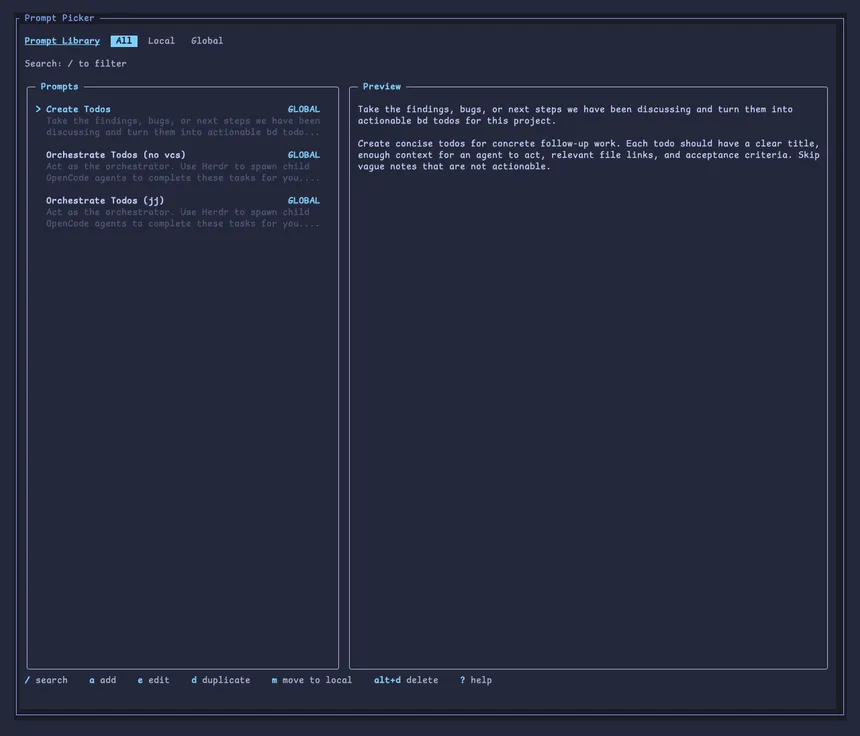
Prompt Library is a Herdr plugin for keeping the prompts I reach for over and over in one place. Hit a keybinding, search, and the selected prompt is inserted into whichever pane was focused when the picker opened.
How it works
Prompts are plain Markdown files with a title in the frontmatter. They can live in two places:
- Global prompts in the plugin’s config directory, available everywhere
- Local prompts in
.herdr/prompts/at the root of a project
Local prompts show up first, so a project can carry its own set alongside the global library. Insertion is literal: only the Markdown body is sent, shell syntax is never executed, and the prompt isn’t submitted until you say so.
Install
herdr plugin install jwkicklighter/herdr-prompt-library